Many Minecraft players search for ways to use Jenny Mod on their iPhone after seeing gameplay videos, screenshots, or installation tutorials online. Since Minecraft is available on iOS through the App Store, it’s easy to assume that every popular Minecraft mod can also be installed on an iPhone. However, this is one of the most common misconceptions among new players.
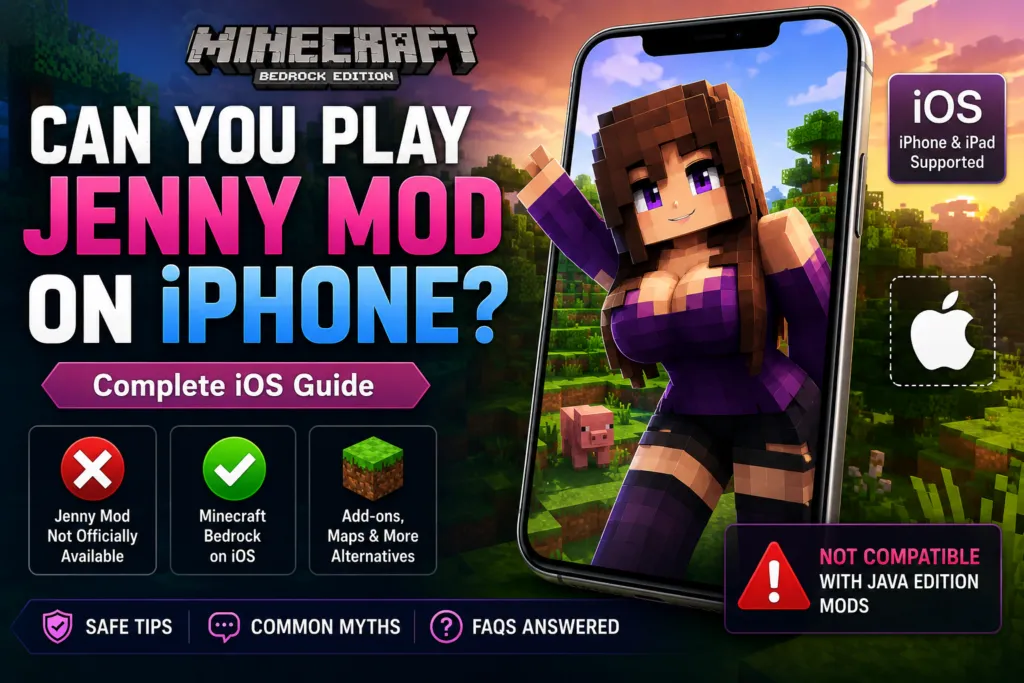
The original Jenny Mod was created specifically for Minecraft Java Edition, which runs on desktop operating systems such as Windows, macOS, and Linux. iPhones, on the other hand, run Minecraft Bedrock Edition, a separate version of the game built on different technology. Because of these differences, Java Edition mods cannot be installed directly on iOS devices.
That doesn’t mean iPhone users have no customization options. Minecraft Bedrock Edition supports add-ons, resource packs, behavior packs, and Marketplace content that can enhance gameplay in different ways. While these features are not the same as the original Jenny Mod, they provide alternative methods for customizing the Minecraft experience on mobile devices.
In this guide, we’ll explain whether Jenny Mod works on iPhone, why it isn’t officially supported on iOS, the differences between Minecraft Java Edition and Bedrock Edition, available alternatives, safety tips, and answers to the most frequently asked questions. By the end of this article, you’ll understand exactly what is and isn’t possible when using Minecraft on an iPhone.
| Feature | Details |
|---|---|
| Platform | iPhone & iPad (iOS) |
| Minecraft Edition | Bedrock Edition |
| Original Jenny Mod Support | No |
| Official iPhone Version | Not Available |
| Java Edition Support | Windows, macOS & Linux |
| Mod Loader Support | Not Supported on iPhone |
| Alternative Content | Add-ons, Resource Packs & Behavior Packs |
| Installation Difficulty | Moderate |
| Internet Required | Yes (for downloads and updates) |
| Price | Varies depending on content |
Can You Play Jenny Mod on iPhone?
The short answer is no. The original Jenny Mod cannot be played on an iPhone because it was developed for Minecraft Java Edition, while iPhones run Minecraft Bedrock Edition. These two versions of Minecraft are built differently and do not share the same modding system.
Minecraft Java Edition supports community-created modifications through popular mod loaders such as Forge and Fabric. These tools allow players to install custom gameplay modifications by placing compatible files inside the Minecraft installation directory. Since Java Edition is only available on desktop operating systems, this installation method is not available on iOS devices.
Minecraft on iPhone uses Bedrock Edition, which focuses on cross-platform compatibility with mobile devices, consoles, and Windows. Instead of Java mods, Bedrock Edition supports content such as add-ons, behavior packs, resource packs, and Marketplace creations. These customization options work differently from Java mods and cannot directly load Jenny Mod.
You may find websites, videos, or social media posts claiming that Jenny Mod works on iPhone with a single tap or without Minecraft Java Edition. In most cases, these claims are misleading or refer to unofficial content that is separate from the original Jenny Mod. Some websites even promote fake installers or surveys that do not provide a working version of the mod.
If your goal is to play the original Jenny Mod, you’ll need Minecraft Java Edition on a compatible computer running Windows, macOS, or Linux. iPhone users should instead explore Bedrock-compatible customization options designed specifically for mobile devices.
Why Doesn’t Jenny Mod Work on iPhone?
Many players assume that because both Java Edition and Bedrock Edition are called “Minecraft,” they support the same mods. In reality, these editions are built on different technologies, making them incompatible with one another when it comes to community-created modifications.
Different Game Engines
Minecraft Java Edition is written primarily in Java, while Minecraft Bedrock Edition is developed using a different codebase optimized for multiple platforms, including iOS, Android, Windows, Xbox, PlayStation, and Nintendo Switch. Because the games use different programming languages and internal systems, Java Edition mods cannot simply be copied into Bedrock Edition.
No Forge or Fabric Support
Jenny Mod relies on mod loaders such as Forge or Fabric to integrate with Minecraft Java Edition. These mod loaders do not exist on iPhone, meaning there is no supported way to load Java-based mods into Minecraft Bedrock Edition on iOS.
Different File Formats
Java Edition mods are distributed as .jar files. Minecraft Bedrock Edition, however, uses different file types and content formats for add-ons, behavior packs, and resource packs. Since these formats are incompatible, the original Jenny Mod cannot be recognized by Minecraft on iPhone.
iOS Security Restrictions
Apple’s iOS operating system uses a secure, sandboxed environment that limits how apps access system files. Unlike desktop operating systems, users cannot freely modify Minecraft’s internal files or install external Java mod loaders. These security protections help keep applications stable and secure but also prevent traditional Java Edition modding.
Bedrock Uses Add-ons Instead of Java Mods
Minecraft Bedrock Edition has its own customization system that includes:
- Behavior Packs
- Resource Packs
- Skin Packs
- World Templates
- Marketplace Content
These features allow players to personalize Minecraft, but they do not function the same way as Java Edition mods like Jenny Mod.
Separate Development Platforms
Java Edition and Bedrock Edition are maintained as separate versions of Minecraft. Features, updates, file structures, and modding tools are often developed independently for each edition. As a result, content created for Java Edition is generally not compatible with Bedrock Edition unless it has been specifically recreated using Bedrock’s own add-on system.
For players using an iPhone, understanding this distinction is important because it explains why the original Jenny Mod cannot be installed on iOS, even though Minecraft itself is available on the App Store. Choosing content that is designed specifically for Minecraft Bedrock Edition is the safest and most reliable way to customize your mobile Minecraft experience.
Minecraft Java Edition vs Minecraft Bedrock Edition
Understanding the difference between Minecraft Java Edition and Minecraft Bedrock Edition is the key to understanding why Jenny Mod cannot be installed on an iPhone. Although both versions share the same Minecraft name and many core gameplay mechanics, they are built on different technologies and provide different customization options.
Java Edition is the original version of Minecraft for desktop computers and has long been known for its extensive modding community. Thousands of community-created mods, including Jenny Mod, are designed specifically for Java Edition using mod loaders such as Forge and Fabric.
Bedrock Edition, on the other hand, was developed to support multiple platforms, including iPhone, iPad, Android, Windows, Xbox, PlayStation, and Nintendo Switch. Instead of traditional Java mods, Bedrock Edition focuses on official Marketplace content, add-ons, behavior packs, and resource packs.
Because the two editions use different file structures, programming languages, and content systems, a Java Edition mod cannot simply be copied into Minecraft Bedrock Edition.
Java Edition vs Bedrock Edition Comparison
| Feature | Minecraft Java Edition | Minecraft Bedrock Edition |
|---|---|---|
| Supported Devices | Windows, macOS, Linux | iPhone, iPad, Android, Windows, Consoles |
| Programming Platform | Java | Bedrock Engine |
| Supports Forge | Yes | No |
| Supports Fabric | Yes | No |
| Java Mods | Yes | No |
| Add-ons | Limited | Yes |
| Resource Packs | Yes | Yes |
| Marketplace | No | Yes |
| Cross-Platform Multiplayer | Limited | Yes |
| Jenny Mod Support | Yes (Compatible Versions) | No |
Does Minecraft on iPhone Support Mods?
Minecraft on iPhone does support customization, but not in the same way as Minecraft Java Edition. Instead of Java-based modifications, Minecraft Bedrock Edition allows players to expand their game using officially supported content formats that work within the Bedrock engine.
Add-ons
Add-ons are the closest equivalent to mods available on Bedrock Edition. They can introduce new entities, adjust gameplay mechanics, modify existing behaviors, or enhance certain aspects of the Minecraft experience. However, they operate within Bedrock’s supported framework rather than using Java mod loaders.
Behavior Packs
Behavior Packs change how Minecraft behaves. Depending on the creator, they can modify:
- Mob behavior
- Item properties
- Game rules
- Custom gameplay mechanics
- World interactions
Behavior Packs are designed specifically for Bedrock Edition and cannot load Java Edition mods like Jenny Mod.
Resource Packs
Resource Packs customize the visual appearance of Minecraft. They may include:
- Improved textures
- User interface changes
- New sound effects
- Visual enhancements
- Custom icons
While they improve presentation, they do not add Java Edition gameplay features.
Minecraft Marketplace
The official Minecraft Marketplace provides downloadable worlds, skins, texture packs, and other Bedrock-compatible content created by approved partners. Marketplace content is designed specifically for Bedrock Edition and installs directly through Minecraft without requiring external mod loaders.
What iPhone Does Not Support
Although Bedrock offers many customization options, iPhone users cannot:
- Install Forge.
- Install Fabric.
- Use Java Edition mods.
- Load .jar mod files.
- Access Minecraft’s internal Java modding system.
These limitations are normal and are part of how Minecraft Bedrock Edition and iOS are designed.
Are There Jenny Mod Alternatives for iPhone?
Although the original Jenny Mod is unavailable on iPhone, Bedrock Edition users still have several ways to customize Minecraft using content specifically created for mobile devices. It’s important to understand that these alternatives are not the original Jenny Mod. Instead, they are Bedrock-compatible creations that may introduce different gameplay mechanics or visual changes using officially supported formats.
Community-Created Add-ons
The Minecraft community regularly develops Bedrock-compatible add-ons that expand gameplay with new creatures, custom items, unique mechanics, or additional challenges. Because these projects are created for Bedrock Edition, they are installed differently from Java mods and should always be checked for compatibility with your current Minecraft version.
Custom Maps
Many creators publish custom adventure maps, puzzle worlds, survival challenges, and role-playing experiences for Minecraft Bedrock Edition. These maps provide fresh gameplay without requiring Java Edition mods.
Resource Packs
Resource Packs are another way to personalize Minecraft on iPhone. Players can improve textures, change interface elements, update sound effects, or create a completely different visual style while maintaining compatibility with Bedrock Edition.
Behavior Packs
Behavior Packs allow creators to adjust gameplay systems, making Minecraft feel different without modifying the game’s core files. Many players combine Behavior Packs with Resource Packs to create a more customized experience while staying within Bedrock’s supported ecosystem.
Choose Trusted Sources
When downloading any Minecraft content for iPhone, always choose reputable sources like https://jennymodminecraft.app/ and verify that the files are intended for Minecraft Bedrock Edition.
Avoid websites that promise:
- One-click Jenny Mod installers for iPhone.
- Java Edition mods on iOS.
- Forge or Fabric downloads for iPhone.
- Jailbreak-only installers claiming official Jenny Mod support.
These claims are often misleading and may expose your device to unnecessary security risks.
If you’re looking to customize Minecraft on an iPhone, the safest approach is to use Bedrock-compatible add-ons, behavior packs, resource packs, and Marketplace content that are designed specifically for iOS rather than attempting to install Java Edition mods that the platform does not support.
Safety Tips Before Downloading
Looking for Jenny Mod on iPhone often leads users to websites, videos, and social media posts that promise quick installations or “exclusive iOS versions.” While some resources provide general Minecraft information, others make claims that are inaccurate or potentially unsafe. Since the original Jenny Mod is not officially available for iPhone, it’s important to be cautious before downloading any files or following installation instructions.
Following a few basic safety practices can help protect both your device and your Minecraft account.
Download Content Designed for Bedrock Edition
If you’re using Minecraft on an iPhone, only download content specifically created for Minecraft Bedrock Edition. Bedrock-compatible add-ons, behavior packs, and resource packs are built for the mobile version of Minecraft, while Java Edition mods are not.
Before downloading anything, confirm that it supports:
- Minecraft Bedrock Edition
- iPhone or iPad (iOS)
- Your current Minecraft version
Choosing compatible content reduces installation problems and improves stability.
Be Careful with Fake “One-Click” Installers
Many websites advertise one-click installers that claim to install Jenny Mod on iPhone automatically.
These claims are often misleading because the original Java Edition mod cannot be installed on iOS. Some installers simply redirect users through advertisements, while others request unnecessary permissions or downloads that have nothing to do with Minecraft.
If a website promises to install Forge, Fabric, or Java mods directly on an iPhone, treat that claim with caution.
Avoid Suspicious Download Pages
Some download pages use aggressive marketing techniques designed to encourage users to install unrelated apps or complete multiple surveys before accessing a file.
Warning signs include:
- Multiple fake download buttons.
- Endless redirects.
- Requests to install unrelated applications.
- Countdown timers that never finish.
- Claims of “exclusive” or “secret” iPhone versions.
Legitimate Minecraft content should clearly explain what it offers and how it works.
Never Share Your Minecraft Account Credentials
No add-on, resource pack, or Minecraft customization should require your Microsoft account password or personal login details.
If a website asks for:
- Microsoft account credentials
- Email passwords
- Verification codes
- Payment information for a “free” download
leave the page immediately.
Keep Minecraft Updated
Running the latest version of Minecraft Bedrock Edition improves compatibility with newer add-ons and helps ensure better security and performance. Regular updates also fix bugs that could affect gameplay or installed content.
Avoid Jailbreak-Based Installation Guides
Some tutorials claim that jailbreaking an iPhone is necessary to install Jenny Mod. Jailbreaking is not required to enjoy Minecraft Bedrock Edition and may reduce your device’s security or affect system stability. It also does not enable official support for Java Edition mods.
Verify File Types
Minecraft Bedrock Edition typically uses content formats designed for its own ecosystem. If a download is presented as a Java .jar mod and claims it works directly on iPhone, it is not compatible with Minecraft Bedrock Edition. Understanding the difference between Java mods and Bedrock add-ons helps you avoid downloading incompatible files.
Common Myths About Jenny Mod on iPhone
Because Jenny Mod is extremely popular, misinformation about its iPhone compatibility is widespread. Many online claims are based on misunderstandings about the differences between Minecraft Java Edition and Bedrock Edition.
Here are some of the most common myths and the facts behind them.
Myth 1: Jenny Mod Works on Every iPhone
Reality: The original Jenny Mod is designed for Minecraft Java Edition and is not officially supported on iPhone.
Myth 2: You Can Install Forge on iPhone
Reality: Forge is a Java Edition mod loader created for desktop versions of Minecraft. It is not available for Minecraft Bedrock Edition on iOS.
Myth 3: Fabric Supports iPhone
Reality: Like Forge, Fabric is built specifically for Minecraft Java Edition and cannot be installed on Minecraft Bedrock Edition running on an iPhone.
Myth 4: A Java Mod Can Be Copied into Minecraft on iPhone
Reality: Java Edition uses different file formats and programming technology than Bedrock Edition. Simply copying Java mod files into an iPhone will not make them work.
Myth 5: Jailbreaking Makes Jenny Mod Work
Reality: Even if an iPhone is jailbroken, the original Jenny Mod still isn’t designed for Minecraft Bedrock Edition. Jailbreaking does not convert Bedrock into Java Edition or provide Forge and Fabric compatibility.
Myth 6: Every “Jenny Mod for iOS” Website Is Official
Reality: There is no official iPhone release of the original Jenny Mod. Many websites use the name for search visibility or discuss unofficial Bedrock-compatible content rather than the Java Edition mod.
Myth 7: Bedrock Add-ons Are the Same as Java Mods
Reality: Both allow players to customize Minecraft, but they use completely different systems. Java mods rely on Forge or Fabric, while Bedrock Edition uses add-ons, behavior packs, resource packs, and Marketplace content.
Myth 8: Installing Jenny Mod on iPhone Only Takes One Tap
Reality: Claims that promise instant installation of the original Jenny Mod on iPhone are misleading because the mod is not officially compatible with Minecraft Bedrock Edition. Always verify compatibility before following any installation guide or downloading files.
Frequently Asked Questions
1. Can I install Jenny Mod on an iPhone?
No. The original Jenny Mod is designed for Minecraft Java Edition and cannot be installed directly on an iPhone running Minecraft Bedrock Edition.
2. Does Jenny Mod work on iOS?
No. There is no official iOS version of the original Jenny Mod. iPhone users can only use content created specifically for Minecraft Bedrock Edition, such as add-ons and resource packs.
3. Can I play Jenny Mod on an iPad?
No. Like the iPhone, the iPad runs Minecraft Bedrock Edition, which does not support Java Edition mods.
4. Is Jenny Mod available on the App Store?
No. The original Jenny Mod is not available for download through Apple’s App Store.
5. Can I install Forge on an iPhone?
No. Minecraft Forge is a mod loader developed for Minecraft Java Edition on desktop operating systems and is not supported on iOS.
6. Does Fabric work on iPhone?
No. Fabric is also a Java Edition mod loader and cannot be installed on Minecraft Bedrock Edition for iPhone.
7. Can I install Minecraft Java Edition on iPhone?
No. Minecraft Java Edition is officially available only for Windows, macOS, and Linux computers.
8. Does Minecraft Bedrock Edition support Java mods?
No. Bedrock Edition uses its own add-on system and cannot load Java Edition mod files.
9. What can I use instead of Jenny Mod on iPhone?
You can use Bedrock-compatible content such as add-ons, behavior packs, resource packs, custom maps, and Marketplace creations to customize your Minecraft experience.
10. Are Bedrock add-ons the same as Java mods?
No. Both customize Minecraft, but they use different technologies and file formats. Java mods require Forge or Fabric, while Bedrock Edition uses add-ons and behavior packs.
11. Is jailbreaking required to install Jenny Mod?
No. Jailbreaking does not make the original Jenny Mod compatible with Minecraft Bedrock Edition and is not required to customize Minecraft on iPhone.
12. Why do some websites claim Jenny Mod works on iPhone?
Many websites target popular search terms or discuss unofficial Bedrock-compatible content. These are not the original Java Edition Jenny Mod.
13. Can I transfer Jenny Mod from my PC to my iPhone?
No. Java Edition mod files cannot be transferred and used directly on Minecraft Bedrock Edition.
14. Is it safe to download Jenny Mod installers for iPhone?
Be cautious. Since there is no official iPhone version of the original Jenny Mod, avoid installers that promise one-click installation, request unnecessary permissions, or ask for your account credentials.
15. Will Minecraft ever support Java mods on iPhone?
There has been no official announcement that Minecraft Bedrock Edition on iPhone will support Java Edition mods. Players should rely on the features and customization options officially available for Bedrock Edition.
16. Can I still customize Minecraft on iPhone?
Yes. Minecraft Bedrock Edition supports resource packs, behavior packs, custom worlds, skins, and Marketplace content that allow players to personalize their gameplay.
17. Does Jenny Mod work on Android instead of iPhone?
The original Jenny Mod is still a Java Edition mod. Some community-created Bedrock adaptations may exist for mobile platforms, but they are separate from the original Java Edition release.
18. Where can I play the original Jenny Mod?
The original Jenny Mod is designed for Minecraft Java Edition and is intended to run on Windows, macOS, and Linux using a compatible version of Forge or Fabric.
Conclusion
If you’re wondering whether you can play Jenny Mod on an iPhone, the answer is straightforward: the original Jenny Mod is not officially compatible with iOS. Because iPhones run Minecraft Bedrock Edition rather than Minecraft Java Edition, they cannot use Java-based mods that rely on Forge or Fabric. This difference in game editions, file formats, and platform architecture is the primary reason the mod cannot be installed directly on an iPhone or iPad.
That doesn’t mean iPhone users are limited to the default Minecraft experience. Bedrock Edition offers several official customization options, including add-ons, behavior packs, resource packs, custom worlds, and Marketplace content. While these alternatives are not the same as the original Jenny Mod, they offer safe, supported ways to personalize your gameplay on iOS devices.
When looking for Jenny Mod on iPhone, always be cautious of websites or videos that promise instant installations, unofficial iOS versions, or one-click download tools. Sticking to trusted Minecraft resources and downloading only Bedrock-compatible content will help keep your device secure and your Minecraft experience enjoyable. If your goal is to use the original Jenny Mod, you’ll need to play Minecraft Java Edition on a compatible Windows, macOS, or Linux computer.