Minecraft is available in two main editions: Java Edition and Bedrock Edition. While both offer the same core survival, creative, and multiplayer gameplay, they differ significantly when it comes to modding. Many players discover these differences after trying to install popular mods like Jenny Mod, only to realize that the installation process depends entirely on which edition of Minecraft they own.
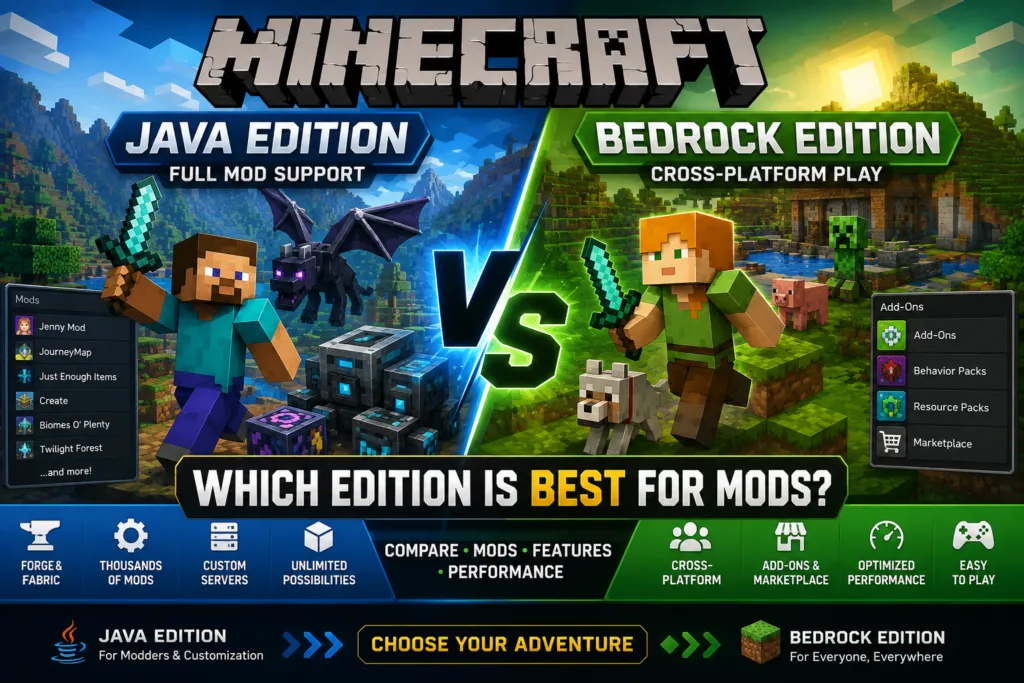
Java Edition is known for its extensive modding community and support for powerful mod loaders such as Forge and Fabric. Bedrock Edition, on the other hand, focuses on cross-platform gaming and uses add-ons, behavior packs, and Marketplace content instead of traditional Java mods. Understanding these differences is essential before downloading any Minecraft modification.
In this guide, we’ll compare Minecraft Java Edition and Bedrock Edition, explain how each handles mods, discuss why Jenny Mod only works on Java Edition, and help you decide which version is best for your gameplay style and modding needs.
| Feature | Minecraft Java Edition | Minecraft Bedrock Edition |
|---|---|---|
| Supported Platforms | Windows, macOS, Linux | Windows, Android, iPhone, iPad, Xbox, PlayStation, Nintendo Switch |
| Supports Mods | Yes | Limited (Add-ons) |
| Forge Support | Yes | No |
| Fabric Support | Yes | No |
| Add-ons | No | Yes |
| Resource Packs | Yes | Yes |
| Marketplace | No | Yes |
| Cross-Platform Play | Limited | Yes |
| Jenny Mod Support | Yes (Compatible Versions) | No (Original Version) |
| Best For | Full Minecraft Modding | Cross-Platform Gaming |
What Is Minecraft Java Edition?
Minecraft Java Edition is the original version of Minecraft, first released for desktop computers. Developed using the Java programming language, it runs on Windows, macOS, and Linux and has become the preferred choice for players who want complete control over their Minecraft experience.
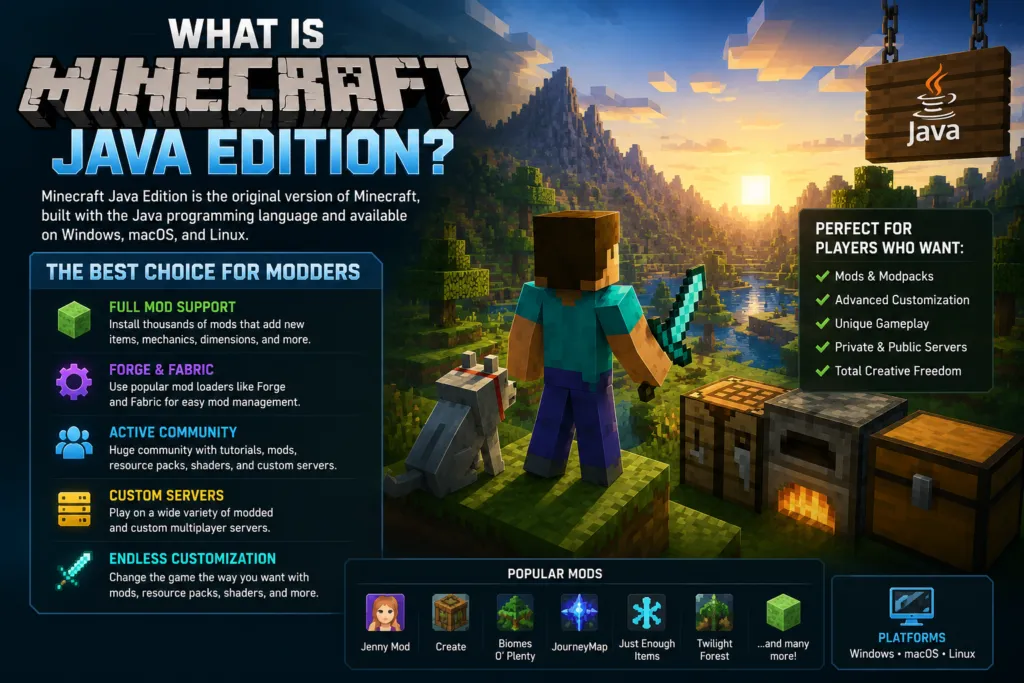
One of Java Edition’s biggest advantages is its open modding ecosystem. Players can install thousands of community-created mods that introduce new gameplay mechanics, custom dimensions, improved graphics, advanced automation, unique creatures, and much more. This flexibility has helped build one of the largest gaming modding communities in the world.
Full Modding Support
Unlike other editions, Minecraft Java Edition supports dedicated mod loaders such as Minecraft Forge and Fabric. These loaders provide the framework needed to run custom mods safely without permanently changing Minecraft’s original game files. Once installed, players simply place compatible mod files into the Mods folder, allowing Minecraft to load them automatically.
This system makes Java Edition the preferred platform for popular mods like:
- Jenny Mod
- JourneyMap
- Just Enough Items (JEI)
- Create
- Biomes O’ Plenty
- Twilight Forest
Thousands of additional mods are available, ranging from small quality-of-life improvements to complete gameplay overhauls.
Strong Community Support
Minecraft Java Edition has been supported by an active community for many years. Players can easily find:
- Installation tutorials
- Mod recommendations
- Community forums
- Resource packs
- Custom shaders
- Dedicated multiplayer servers
Because of this extensive ecosystem, beginners and experienced players alike have access to countless guides and troubleshooting resources.
Why Java Edition Is Popular for Modding
Java Edition gives players a high level of freedom when customizing Minecraft. Its advantages include:
- Support for Forge and Fabric.
- Thousands of community-created mods.
- Advanced world customization.
- Custom launchers.
- Extensive multiplayer server options.
- Broad compatibility with resource packs and shaders.
These features make Java Edition the best option for players who enjoy experimenting with new gameplay experiences beyond the standard version of Minecraft.
What Is Minecraft Bedrock Edition?
Minecraft Bedrock Edition is the modern cross-platform version of Minecraft designed to run on a wide range of devices, including Windows, Android, iPhone, iPad, Xbox, PlayStation, and Nintendo Switch. Instead of focusing on deep modding capabilities, Bedrock Edition emphasizes accessibility, performance, and seamless multiplayer across different platforms.
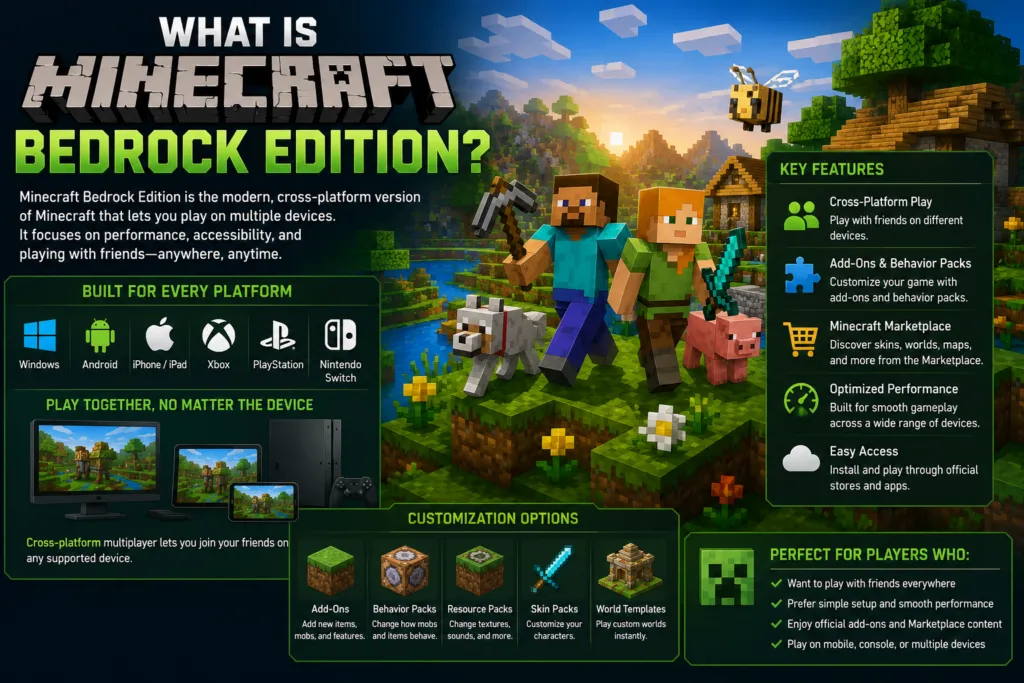
One of Bedrock Edition’s greatest strengths is its ability to let friends play together regardless of the device they’re using. Whether someone is playing on a mobile phone, console, or Windows PC, cross-platform multiplayer makes joining the same world much easier than in Java Edition.
Add-ons Instead of Java Mods
Rather than supporting Java-based mods, Bedrock Edition uses its own customization system. Players can install:
- Add-ons
- Behavior Packs
- Resource Packs
- Skin Packs
- World Templates
These content types are designed specifically for the Bedrock engine and offer a safe, supported way to customize Minecraft without using Java mod loaders. Although add-ons can introduce new gameplay features and visual improvements, they generally do not provide the same level of customization as full Java Edition mods.
Minecraft Marketplace
Bedrock Edition includes the official Minecraft Marketplace, where players can browse and download premium worlds, skins, texture packs, adventure maps, and other content created by approved partners. Marketplace content installs directly within the game, making it convenient for players who prefer a simple, integrated experience.
Optimized for Multiple Devices
Because Bedrock Edition is designed for mobile devices, consoles, and Windows PCs, it focuses heavily on performance and accessibility.
Benefits include:
- Cross-platform multiplayer.
- Optimized performance on a variety of hardware.
- Easy installation through official app stores.
- Built-in Marketplace support.
- Consistent updates across supported platforms.
While Bedrock Edition offers an excellent Minecraft experience for casual and cross-platform players, it does not support traditional Java Edition mod loaders such as Forge or Fabric. As a result, mods like Jenny Mod, which are built for Minecraft Java Edition, cannot be installed directly on Bedrock Edition without being specifically recreated as Bedrock-compatible content.
Java Edition vs Bedrock Edition Comparison
Although Minecraft Java Edition and Minecraft Bedrock Edition share the same core gameplay, they differ in several important areas, especially when it comes to customization and mod support. Understanding these differences helps players choose the edition that best matches their needs.
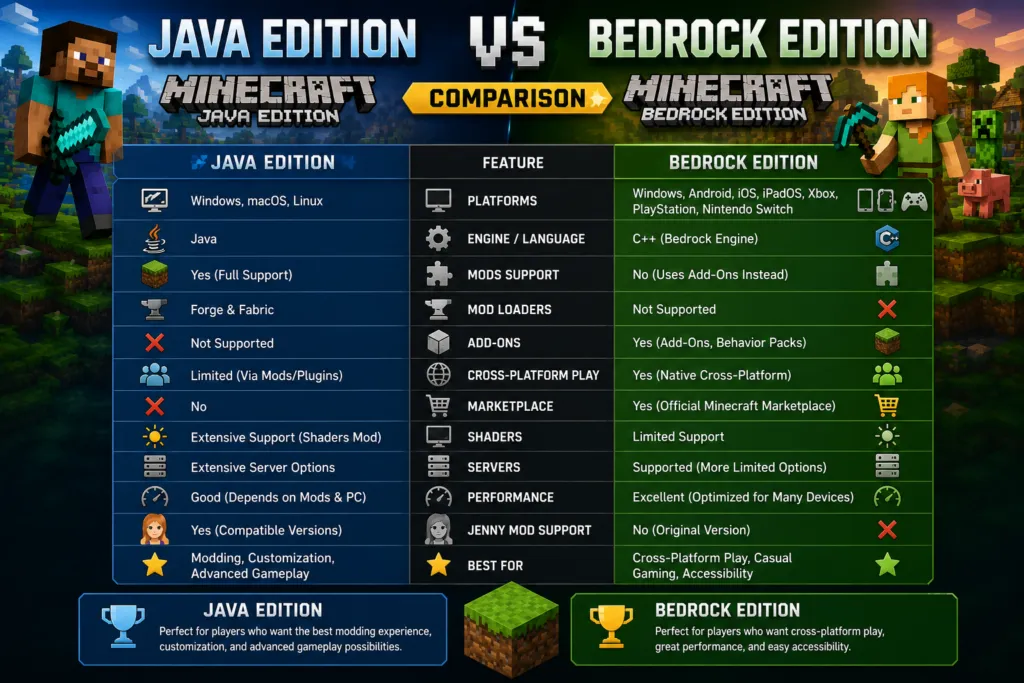
The comparison below highlights the most important features.
| Feature | Minecraft Java Edition | Minecraft Bedrock Edition |
|---|---|---|
| Supported Platforms | Windows, macOS, Linux | Windows, Android, iPhone, iPad, Xbox, PlayStation, Nintendo Switch |
| Programming Language | Java | Bedrock Engine (C++) |
| Traditional Mods | Yes | No |
| Forge Support | Yes | No |
| Fabric Support | Yes | No |
| Add-ons | No | Yes |
| Resource Packs | Yes | Yes |
| Marketplace | No | Yes |
| Cross-Platform Multiplayer | Limited | Yes |
| Performance | Good | Excellent |
| Shaders | Extensive Support | Limited Support |
| Custom Servers | Extensive Options | Supported but More Limited |
| Jenny Mod Support | Yes (Compatible Versions) | No (Original Version) |
| Best For | Advanced Modding | Cross-Platform Gaming |
Modding Flexibility
Java Edition offers one of the most advanced modding environments in gaming. Players can install complete gameplay overhauls, custom dimensions, automation systems, advanced graphics enhancements, and thousands of community-created mods.
Bedrock Edition focuses on officially supported customization through add-ons and Marketplace content. While these tools allow players to personalize Minecraft, they do not provide the same level of freedom as Java Edition mods.
Multiplayer Experience
Java Edition supports multiplayer servers, private servers, LAN play, and community-hosted worlds. Many custom servers introduce entirely new game modes and mechanics through plugins and mods.
Bedrock Edition is designed for seamless cross-platform multiplayer. Players using mobile devices, consoles, and Windows PCs can easily join the same world, making it an excellent option for families and friends using different devices.
Custom Content
Java Edition allows players to install:
- Mods
- Resource Packs
- Data Packs
- Custom Shaders
- Custom Launchers
Bedrock Edition supports:
- Add-ons
- Behavior Packs
- Resource Packs
- Skin Packs
- Marketplace Content
Both editions support customization, but the methods are very different.
Ease of Setup
Bedrock Edition generally requires less setup because most downloadable content installs directly through the Marketplace or supported import methods. Java Edition requires players to install compatible mod loaders, verify Minecraft versions, and ensure that mods work together. Although this process takes a little more effort, it provides significantly greater flexibility.
Which Edition Supports Mods Better?
If your goal is to enjoy the widest possible range of Minecraft modifications, Minecraft Java Edition is the clear winner. Java Edition was built with an open ecosystem that allows developers to create almost any type of gameplay modification imaginable. Over the years, this has resulted in thousands of high-quality mods covering everything from graphics enhancements and new biomes to automation systems and entirely new game mechanics.
Why Java Edition Is Better for Mods
Java Edition supports dedicated mod loaders such as Forge and Fabric, which allow multiple mods to run together within Minecraft. This enables players to create highly customized experiences using dozens or even hundreds of compatible mods.
Examples of popular Java Edition mods include:
- Jenny Mod
- Sodium
- JourneyMap
- Just Enough Items (JEI)
- Create
- Twilight Forest
- Biomes O’ Plenty
These mods dramatically expand Minecraft beyond its original gameplay.
Bedrock Uses Add-ons Instead
Minecraft Bedrock Edition approaches customization differently. Instead of traditional Java mods, Bedrock uses:
- Add-ons
- Behavior Packs
- Resource Packs
- Marketplace Worlds
- Skin Packs
These options are officially supported and easy to install, making them ideal for players who want a simple customization experience. However, add-ons generally cannot modify Minecraft as extensively as Java Edition mods.
Which Edition Should Modding Enthusiasts Choose?
Players interested in:
- Large modpacks
- Advanced automation
- Custom gameplay mechanics
- Massive community projects
- Deep game customization
will almost always find Minecraft Java Edition to be the better choice. Players who simply want cross-platform gameplay with light customization may prefer Bedrock Edition’s official add-ons and Marketplace content.
Why Jenny Mod Only Works on Java Edition
One of the most common questions among Minecraft players is why Jenny Mod cannot be installed on Minecraft Bedrock Edition. The answer comes down to how the two editions are built.
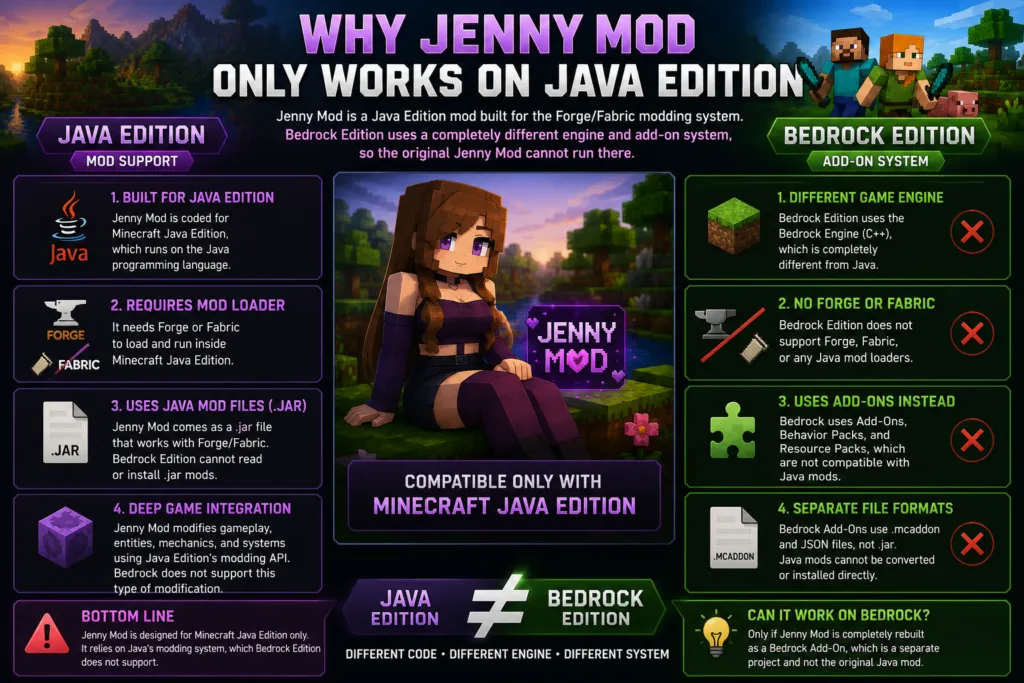
Jenny Mod Was Developed for Java Edition
The original Jenny Mod was created specifically for Minecraft Java Edition. It relies on Java Edition’s modding framework and is designed to work with compatible versions of Forge or, in some community releases, Fabric. Without these mod loaders, the original mod cannot function.
Bedrock Cannot Load Java Mods
Minecraft Bedrock Edition does not support Java-based mod files. Java mods typically use .jar files that communicate with Forge or Fabric. Bedrock Edition uses completely different file formats for:
- Add-ons
- Behavior Packs
- Resource Packs
Since these systems are not compatible, Java Edition mods cannot simply be copied into Bedrock Edition.
Different Game Engines
Minecraft Java Edition and Bedrock Edition are built on different technologies. Java Edition runs using the Java programming language, while Bedrock Edition uses a separate engine optimized for mobile devices, consoles, and Windows. Because of these architectural differences, software created for one edition cannot automatically run on the other.
Mobile Devices Use Bedrock Edition
Many players search for Jenny Mod on Android or iPhone. However, both platforms use Minecraft Bedrock Edition, not Java Edition.
This means:
- Forge is unavailable.
- Fabric is unavailable.
- Java mod files cannot be loaded.
- The original Jenny Mod cannot be installed directly.
Some community-created Bedrock adaptations may exist, but they are separate projects and should not be confused with the original Java Edition Jenny Mod.
Version Compatibility Matters
Even within Java Edition, Jenny Mod only works when:
- The Minecraft version is compatible.
- The correct mod loader is installed.
- The Jenny Mod release matches both.
Using the wrong Minecraft version or the wrong mod loader can prevent the mod from loading correctly.
For players who want the authentic Jenny Mod experience, Minecraft Java Edition remains the recommended platform. Its support for Forge, Fabric, and community-developed mods makes it the only edition capable of running the original Jenny Mod as intended.
Performance Comparison
Performance is an important consideration when choosing between Minecraft Java Edition and Minecraft Bedrock Edition, especially if you plan to install mods. While both editions deliver the same core Minecraft experience, they differ in how they use system resources, handle updates, and perform on different types of hardware.
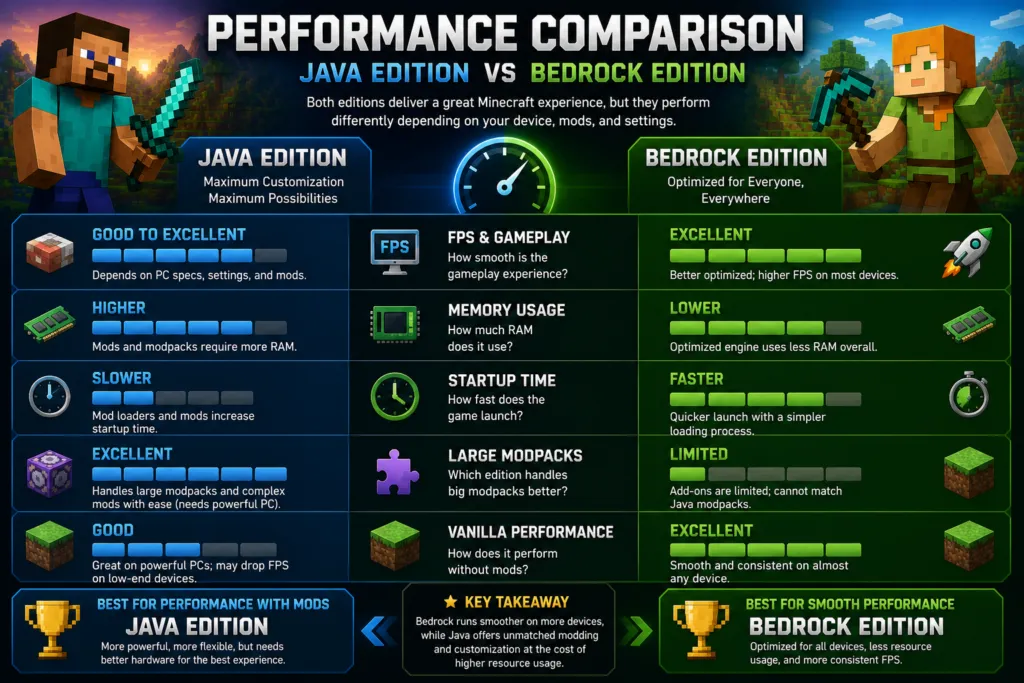
The best choice depends on whether your priority is maximum performance or extensive customization.
FPS and Gameplay Performance
Minecraft Bedrock Edition is generally better optimized for a wide range of devices. Because it was designed to support mobile phones, tablets, consoles, and Windows PCs, it often delivers higher frame rates with lower hardware requirements.
Java Edition can also provide smooth gameplay, but performance depends more heavily on your computer’s specifications, graphics settings, and the number of installed mods. For players using powerful gaming PCs, both editions can perform very well.
Memory Usage
Bedrock Edition typically requires less RAM because its engine is optimized for efficiency across multiple platforms. Java Edition usually consumes more memory, particularly when players install large modpacks or high-resolution resource packs. Many advanced mods introduce additional content and gameplay mechanics, increasing overall resource usage. Allocating sufficient memory is often necessary for heavily modded Java Edition worlds.
Startup Time
Java Edition generally takes longer to launch, especially when multiple mods are installed through Forge or Fabric. During startup, the mod loader checks compatibility, loads dependencies, and initializes installed mods. Bedrock Edition launches more quickly because it does not use Java-based mod loaders and relies on a simpler content-loading process.
Large Modpacks
If your goal is to create a highly customized Minecraft experience with dozens or even hundreds of mods, Java Edition is the clear winner. Large Forge and Fabric modpacks can completely transform Minecraft by adding:
- New dimensions
- Advanced machinery
- Custom biomes
- Magic systems
- Technology mods
- RPG mechanics
Although these modpacks require more powerful hardware, they offer a level of customization that Bedrock Edition cannot match.
Vanilla Gameplay
Players who prefer Minecraft with only light customization often appreciate Bedrock Edition’s consistent performance and streamlined experience. Add-ons, resource packs, and Marketplace content can personalize gameplay without introducing the complexity associated with large Java modpacks.
Pros and Cons
Choosing between Java Edition and Bedrock Edition becomes easier when you compare their strengths and limitations side by side.
Minecraft Java Edition Pros
- Full support for community-created mods.
- Compatible with Forge and Fabric.
- Massive library of Minecraft mods.
- Extensive shader support.
- Highly customizable gameplay.
- Large community and developer ecosystem.
- Advanced multiplayer servers.
- Ideal for mods like Jenny Mod.
Minecraft Java Edition Cons
- Requires more powerful hardware for large modpacks.
- No native cross-platform play with consoles or mobile devices.
- Mod installation requires additional setup.
- Compatibility depends on matching Minecraft and mod versions.
Minecraft Bedrock Edition Pros
- Excellent performance on many devices.
- Cross-platform multiplayer support.
- Easy installation through official stores.
- Official Minecraft Marketplace.
- Supports add-ons and behavior packs.
- Optimized for mobile devices and consoles.
- Beginner-friendly customization.
Minecraft Bedrock Edition Cons
- Does not support Java Edition mods.
- Forge and Fabric are unavailable.
- Limited compared to Java’s modding ecosystem.
- Original Jenny Mod is not compatible.
- Fewer advanced customization options.
Which Edition Should You Choose?
The right Minecraft edition depends on how you plan to play the game. If your primary goal is installing Jenny Mod, experimenting with advanced gameplay modifications, or creating large custom modpacks, Minecraft Java Edition is the best option. Its support for Forge, Fabric, and thousands of community-created mods makes it the preferred choice for players who want complete control over their Minecraft experience.
If you primarily play with friends across different platforms or use a mobile device, console, or tablet, Minecraft Bedrock Edition offers a more convenient experience. Its cross-platform multiplayer, official Marketplace, and optimized performance make it an excellent choice for casual gameplay.
The table below can help you decide.
| Player Type | Recommended Edition |
|---|---|
| Wants Jenny Mod | Java Edition |
| Wants Forge | Java Edition |
| Wants Fabric | Java Edition |
| Plans to install many mods | Java Edition |
| Uses a Windows gaming PC | Java Edition |
| Wants advanced customization | Java Edition |
| Plays on Android or iPhone | Bedrock Edition |
| Plays on Xbox, PlayStation, or Nintendo Switch | Bedrock Edition |
| Wants cross-platform multiplayer | Bedrock Edition |
| Casual Minecraft player | Bedrock Edition |
| Wants official Marketplace content | Bedrock Edition |
| Prefers simple setup | Bedrock Edition |
Neither edition is universally better; they are designed for different audiences.
Choose Minecraft Java Edition if you want the freedom to install mods, use Forge or Fabric, customize nearly every aspect of the game, and experience community-created projects like Jenny Mod. Choose Minecraft Bedrock Edition if you value smooth performance, cross-platform play, and official customization options that work consistently across multiple devices.
Understanding the strengths of each edition will help you select the version that best fits your hardware, preferred gameplay style, and long-term Minecraft goals.
Frequently Asked Questions
1. Which Minecraft edition is better for mods?
Minecraft Java Edition is the best choice for mods because it supports Forge, Fabric, and thousands of community-created modifications.
2. Can Minecraft Bedrock Edition run Java mods?
No. Bedrock Edition cannot run Java mods because it uses a different game engine and file format. It supports add-ons instead of traditional Java mods.
3. Does Jenny Mod work on Bedrock Edition?
No. The original Jenny Mod is designed for Minecraft Java Edition and is not compatible with Minecraft Bedrock Edition.
4. Why is Java Edition better for modding?
Java Edition offers full modding support through Forge and Fabric, allowing players to install gameplay mods, shaders, custom dimensions, automation mods, and many other community-created projects.
5. Does Bedrock Edition support mods?
Bedrock Edition supports add-ons, behavior packs, resource packs, and Marketplace content. These provide customization but are different from Java Edition mods.
6. Can I install Forge on Bedrock Edition?
No. Forge is a mod loader created specifically for Minecraft Java Edition and cannot be installed on Bedrock Edition.
7. Can I install Fabric on Bedrock Edition?
No. Fabric is also designed exclusively for Minecraft Java Edition and is not supported on Bedrock Edition.
8. Which edition has more Minecraft mods?
Java Edition has a much larger mod library, with thousands of community-created mods covering nearly every aspect of the game.
9. Which edition performs better?
Bedrock Edition is generally more optimized and often provides better performance on lower-end PCs, mobile devices, and consoles. Java Edition may require more powerful hardware, especially when using large modpacks.
10. Which edition supports cross-platform multiplayer?
Minecraft Bedrock Edition supports cross-platform play between Windows, Android, iPhone, Xbox, PlayStation, and Nintendo Switch. Java Edition has more limited cross-platform compatibility.
11. Can I play Java Edition on my iPhone?
No. Minecraft Java Edition is officially available only for Windows, macOS, and Linux computers.
12. Can Android users install Java mods?
No. Android devices run Minecraft Bedrock Edition, which does not support Java-based mods like Jenny Mod.
13. Can I transfer Java mods to Bedrock Edition?
No. Java mod files are incompatible with Bedrock Edition and cannot be transferred directly.
14. Which edition is easier for beginners?
Bedrock Edition is generally easier for beginners because it offers straightforward installation, official Marketplace content, and built-in cross-platform multiplayer.
15. Is Java Edition worth buying for modding?
Yes. If you want access to Forge, Fabric, custom shaders, advanced gameplay modifications, and popular mods like Jenny Mod, Java Edition is the best investment.
16. Can I convert worlds between Java and Bedrock?
Some third-party tools can convert worlds between the two editions, but compatibility is not guaranteed, and certain features may not transfer correctly.
17. Which edition receives updates first?
Both editions receive major Minecraft updates from Mojang, but compatibility with mods depends on when Forge, Fabric, and individual mod developers update their projects.
18. Which Minecraft edition should I choose?
Choose Java Edition if your priority is modding, custom servers, and advanced gameplay customization. Choose Bedrock Edition if you prefer cross-platform gaming, official content, and optimized performance across multiple devices.
Conclusion
Choosing between Minecraft Java Edition and Minecraft Bedrock Edition depends on what you expect from your Minecraft experience. While both editions offer the same core gameplay, they take very different approaches to customization. Java Edition is the preferred choice for players who want complete control over their game, thanks to its support for Forge, Fabric, and thousands of community-created mods. This makes it the only edition capable of running the original Jenny Mod and many other advanced modifications.
Bedrock Edition, on the other hand, is designed for accessibility, performance, and cross-platform multiplayer. Its support for add-ons, behavior packs, resource packs, and Marketplace content provides safe and convenient customization, making it an excellent option for casual players, families, and those who play across multiple devices. However, it cannot run Java-based mods or use mod loaders like Forge and Fabric.
Before choosing an edition, consider your platform, hardware, and gameplay goals. If you’re interested in installing Jenny Mod, experimenting with large modpacks, or exploring the extensive Minecraft modding community, Minecraft Java Edition is the clear choice. If your focus is smooth performance, official content, and playing with friends on different devices, Minecraft Bedrock Edition will likely be the better fit. Selecting the edition that matches your needs will ensure a more enjoyable and hassle-free Minecraft experience.